How to Check Software Support for a Used Tester
Author
Date Published
Reading Time
How do I check tester software support before buying used equipment? Start by confirming the tester’s exact model, software version, license status, and compatibility with your devices and operating environment. Then ask the original manufacturer or an authorized service provider about license transfers, updates, cybersecurity patches, and end-of-support dates. For semiconductor procurement teams, these checks can reveal integration costs and support gaps that a low purchase price may obscure. This guide outlines the questions and documentation to review before making a commitment.
What information should I collect before contacting the manufacturer?
A model name alone is rarely enough. Two testers from the same product family may have different controller computers, instrument cards, operating systems, interfaces, and licensed software options. Support for one configuration does not necessarily extend to the other.
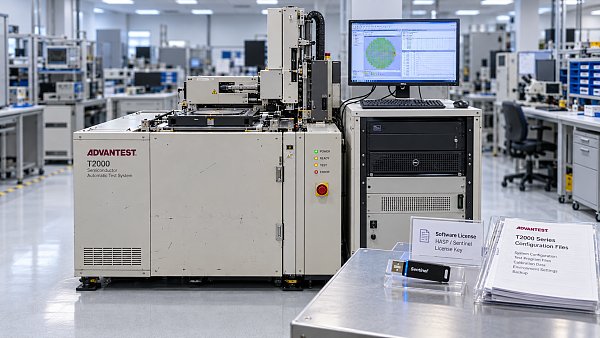
Ask the seller for the tester’s serial number and a current configuration inventory. Include the controller model, operating system and patch level, tester software release and build, installed instrument modules, interface hardware, and any external license server or hardware key. Screenshots of version and license screens can help, but request an exported inventory or written list as well.
For automated semiconductor test equipment, document the handler or prober interfaces and the test program environment. If the sale includes load boards, probe cards, device interface boards, or application-specific libraries, identify their revisions and ownership separately. They can be essential to running a particular product, yet they may not be covered by the tester’s base software license.
Check whether the equipment is being sold in its current state or after refurbishment. A controller replacement, disk wipe, or operating system upgrade can change the licensing and compatibility picture. The configuration you ask the manufacturer to assess should be the configuration you expect to receive.
Does the installed software license transfer with the tester?
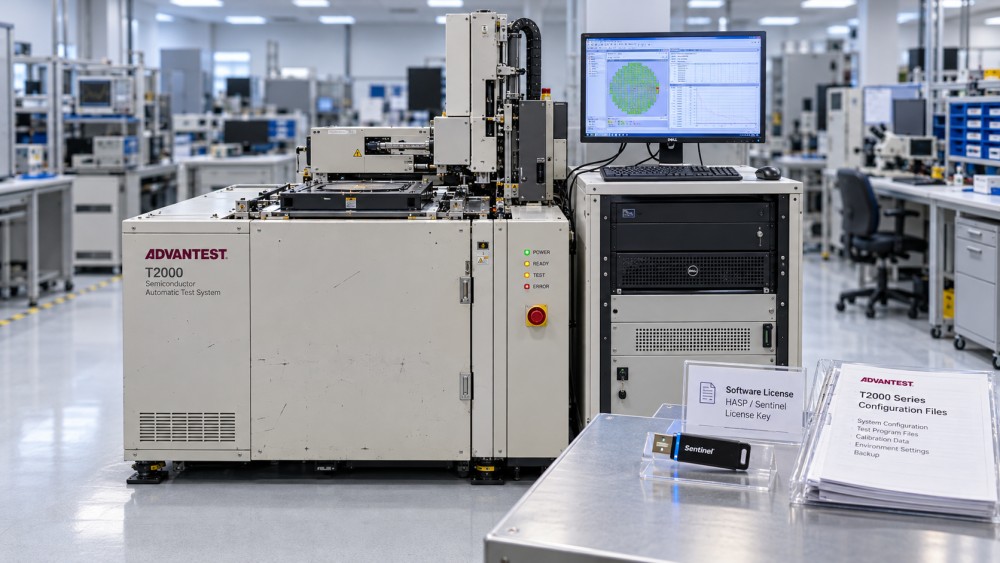
Not necessarily. Software installed on a machine is not, by itself, proof that a new owner is entitled to use it. Depending on the agreement, licenses may be tied to a legal entity, site, controller, instrument serial number, network license server, or physical key. Some options may require a separate transfer, reactivation, or purchase.
Ask the seller to identify every license included in the offer and provide evidence that it can be transferred. Then request written confirmation from the software owner or an authorized provider where possible. The answer should cover the intended buyer and installation location, not just a generic statement that the platform is supported.
A useful distinction is whether a feature is installed, currently enabled, and licensed for the buyer after transfer. Those are three different questions. A demonstration performed under the seller’s license may show that a feature works today without establishing the buyer’s right to use it tomorrow.
Also establish who pays transfer or reactivation fees, what happens if a license cannot be transferred, and whether any existing maintenance obligations must be resolved before support can begin. Do not assume a third-party service company can grant rights to proprietary software merely because it can repair the hardware.
What does “software support available” actually mean?
Ask for the scope in writing. A supplier may be willing to answer questions about an older release without providing patches, reproducing defects, or supporting a new operating system. Similarly, a maintenance contract may cover the tester application but exclude third-party databases, development tools, or a legacy controller.
For the exact serial number and proposed installation site, clarify:
- Whether the current software release is supported, and what support activities are included.
- The applicable end-of-sale, end-of-support, and security-update dates, if announced, and which components each date covers.
- Whether updates, installation media, documentation, and recovery tools remain available to the buyer.
- Whether remote assistance, on-site service, and escalation to the manufacturer are available in the destination region.
- Any prerequisites for coverage, including inspection, recertification, a minimum software version, or a controller upgrade.
Separate a published lifecycle date from a service provider’s estimate of how long it expects to help. Both can inform the decision, but they are not interchangeable. If the manufacturer will not confirm a future commitment, record that uncertainty rather than treating continued service as guaranteed.
How do I verify compatibility with my devices and test programs?
Start with the work the tester must perform, not just the seller’s specification sheet. Provide the relevant engineering team with the device requirements, test program dependencies, required instrument capabilities, and expected connections to handlers, probers, and factory systems. Ask the manufacturer or a qualified integrator to review the complete configuration against those requirements.
A tester may have the right number of channels yet lack an option needed by the program, an appropriate interface, or a supported library version. Conversely, a newer software release is not automatically the safer choice if an existing test program depends on an older runtime or a discontinued development environment. Upgrading can solve one support problem while creating another qualification task.
Where access and confidentiality permit, arrange a demonstration using a representative program and hardware configuration. Agree beforehand on what the demonstration proves: program loading, instrument initialization, communication with a handler, data output, or a repeatable measurement against an agreed reference. A successful startup screen is useful, but it is not evidence that the intended production flow is ready.
Confirm who owns the test programs and source files. The previous owner’s programs may contain confidential device information or be subject to restrictions; they should not be assumed to transfer with the equipment. If the buyer must rebuild programs, budget for engineering time, correlation, and product qualification.
Can an older operating system still be used safely?
Possibly, but it needs an explicit risk decision. Some legacy testers depend on operating systems that no longer receive vendor security updates, and changing the operating system may invalidate the supported tester configuration. Ask which combinations of controller hardware, operating system, and tester software the manufacturer actually supports.
Have the site’s IT and operational technology teams assess the proposed setup before purchase. They may consider network segmentation, restricted access, controlled file transfers, backup procedures, and monitoring. These controls can reduce exposure, but they do not restore missing security patches or guarantee compatibility with factory systems.
Check how the tester will exchange programs, results, and maintenance files. An isolated machine may be acceptable for a development lab but awkward in a production flow that depends on automated data collection. Conversely, connecting a legacy controller directly to a corporate network because it is convenient can create a risk that the purchase team never priced.
What should I test before accepting delivery?
Put software checks into the acceptance plan, alongside calibration and hardware tests. Ideally, the seller demonstrates the agreed configuration before shipment, and the buyer repeats relevant checks after installation. Transport, controller changes, and license reactivation can all affect what works at the destination.
The acceptance criteria should identify the software build, enabled options, required peripherals, and the specific functions to be demonstrated. Include a clean restart and confirmation that the buyer can legitimately activate the software. Where relevant, test data export, user access, backups, and communication with the intended handler or prober. Use a defined test artifact or reference device and agree on the results and tolerances with engineering before signing.
A seller’s “fully functional” statement is too broad to settle a dispute about a missing option or incompatible interface. The purchase agreement should say which failure is the seller’s responsibility, how long they have to correct it, and what remedy applies if the agreed configuration cannot be delivered. If a full site-level test is impossible before shipment, distinguish preliminary demonstration from final acceptance.
Which documents and recovery materials should come with the tester?
Request the applicable license documentation, transfer approval, support quote, software release notes, installation instructions, configuration inventory, and service records available to the seller. Check whether manuals and installation media are complete and whether the buyer is permitted to retain and use them. A copy of a disk image may help recovery, but it does not replace a valid license or prove that the image can be restored on replacement hardware.
Ask for a recovery procedure that matches the delivered machine: where backups are stored, who can restore them, which credentials or keys are required, and whether a replacement controller needs relicensing. Handle passwords and any prior owner’s confidential data through an agreed handover process. A factory reset may be appropriate, but only after the parties understand its effect on licenses, configuration files, and recoverability.
Is third-party support enough if the original manufacturer no longer supports the tester?
It can be workable for some uses, but compare the provider’s actual capabilities with the job. Ask which hardware revisions and software releases its engineers service, whether it has lawful access to necessary tools and documentation, and how it handles failures beyond its scope. Verify local coverage, response commitments, and availability of replacement controllers and critical instrument modules.
A provider may be able to troubleshoot a controller or restore a validated image without being able to issue a new software license, fix a proprietary defect, or supply security updates. For a lab with a contained workload and a recovery plan, that limitation may be acceptable. For a production line dependent on rapid recovery or frequent product changes, it may be a deal breaker.
How should software support affect the purchase decision?
Compare offers on a delivered, usable basis rather than purchase price alone. Add confirmed costs for license transfer, maintenance, controller upgrades, integration, training, recovery materials, and qualification. Show uncertain items separately, including the consequence of a rejected license transfer or an unsupported factory connection.
FabBrief’s procurement perspective is relevant here: equipment readiness includes service and qualification, not just a working tool. Before committing, ask engineering, IT, procurement, and the prospective support provider to review the same configuration and intended use. If a critical answer remains unresolved, make it a written purchase condition rather than relying on a verbal assurance.
Questions about market trends? Contact Market Scope Live for deeper business insights.
We respect your privacy. Your information is strictly confidential.
We respect your privacy. Your information is strictly confidential.
Related News
 Supplier AssessmentHow to evaluate photomask manufacturers for defect controlCompare photomask manufacturers for defect control. Learn what to ask about inspection, repair, contamination and qualification before choosing a supplier.MORE+
 Supplier AssessmentHow to Compare Service Response Times in Equipment ContractsHow do I compare service response times in equipment contracts? Learn how to assess SLAs, coverage, engineer arrival and spare parts to choose the right supplier.MORE+
 Supplier AssessmentHow to Check Software Support for a Used TesterHow do I check tester software support before buying used equipment? Verify licenses, compatibility, updates, and support terms before you commit.MORE+